


Escape From Ever After lets you adjust the game’s difficulty at any time without having to restart your game. Essentially, you can change the difficulty setting to match your skill level as you progress in the game. This flexibility makes the experience more accessible for new players while still offering a satisfying challenge for veterans, allowing you to fine-tune combat, exploration, and overall pacing whenever you feel the need.
In this guide, you will learn the exact steps to change your difficulty settings in Escape From Ever After.
How to Change Difficulty Settings in-Game
Open the Menu

While in-game, open the menu and select the Options tab. From there, click Game.
TIP: If you are playing on PS5, press the three-line (menu) button on your controller.
Change Game Difficulty
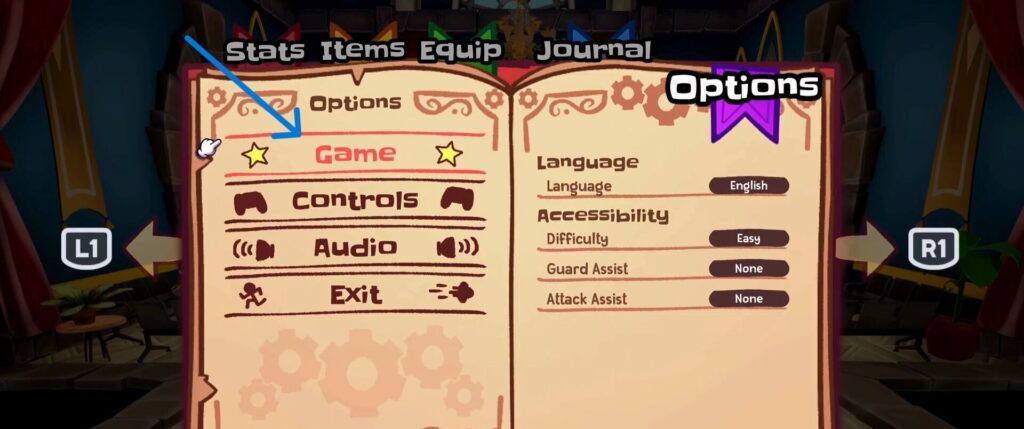
On the new gameplay-related settings window, you will see a Difficulty setting option under the Accessibility section. It is set to Easy by default, but you are free to switch it to your preferred difficulty level at any time.
This allows you to customize the overall challenge of the game based on your experience, whether you want a more relaxed playthrough or a tougher test of your skills.
ALSO READ: How to FIX Escape From Ever After Not Working On PS5
 Tafa Mus
 Pritish Samantaray
 Jakeyy