


Gamers entering 2026 face a dilemma: stick with their trusty RTX 3070 or consider an upgrade.
NVIDIA's drivers on Linux have been in disarray, leaving some users wary of switching due to potential performance losses.
The Challenges of Upgrading from RTX 3070
Linux Driver Issues

NVIDIA’s driver woes on Linux are well-documented. Despite efforts to improve support, users continue to experience performance and stability issues, resulting in significant frame rate drops. These issues can be frustrating for gamers who rely on their RTX 3070 for smooth experiences.
Upgrade Implications
The RTX 3070’s limitations in Linux, combined with the potential for less frequent driver updates, make it worth considering AMD GPUs as a more stable option. For gamers prioritizing smooth experiences, an upgrade might be necessary to avoid frustration and disappointment.
AMD Performance: A Closer Look
Users eyeing upgrades are looking at AMD’s RX 6900XT or RX 9060XT, which boast high performance and potential for better driver support. However, these GPUs come with a higher TDP – the RX 6900XT requires a 320W power supply to handle.
DLSS vs FSR: A Performance Comparison
NVIDIA’s DLSS and AMD’s FSR aim to enhance frame rates, but they work differently. DLSS uses AI-powered rendering, while FSR relies on traditional upscaling techniques. The upcoming FSR 4.1 update for RDNA 2 GPUs may close the performance gap with DLSS 4.5.
Practical Considerations: Weighing Your Options
The decision to upgrade from RTX 3070 depends on individual needs and priorities. Linux users seeking smooth experiences might opt for AMD, while those invested in NVIDIA’s tech can stick with their current GPU. Before making a decision, consider the following factors:
- Performance requirements: Do you need the highest frame rates or are you satisfied with lower settings?
- Driver support: Are you willing to deal with potential driver issues or do you prioritize stability and reliability?
- Budget constraints: Can you afford a more expensive GPU, or do you have limited funds for upgrades?
We’ll explore these factors in more detail below, providing you with a comprehensive analysis of RTX 3070 upgrade options.
Upgrade Options: A Closer Look at AMD and NVIDIA
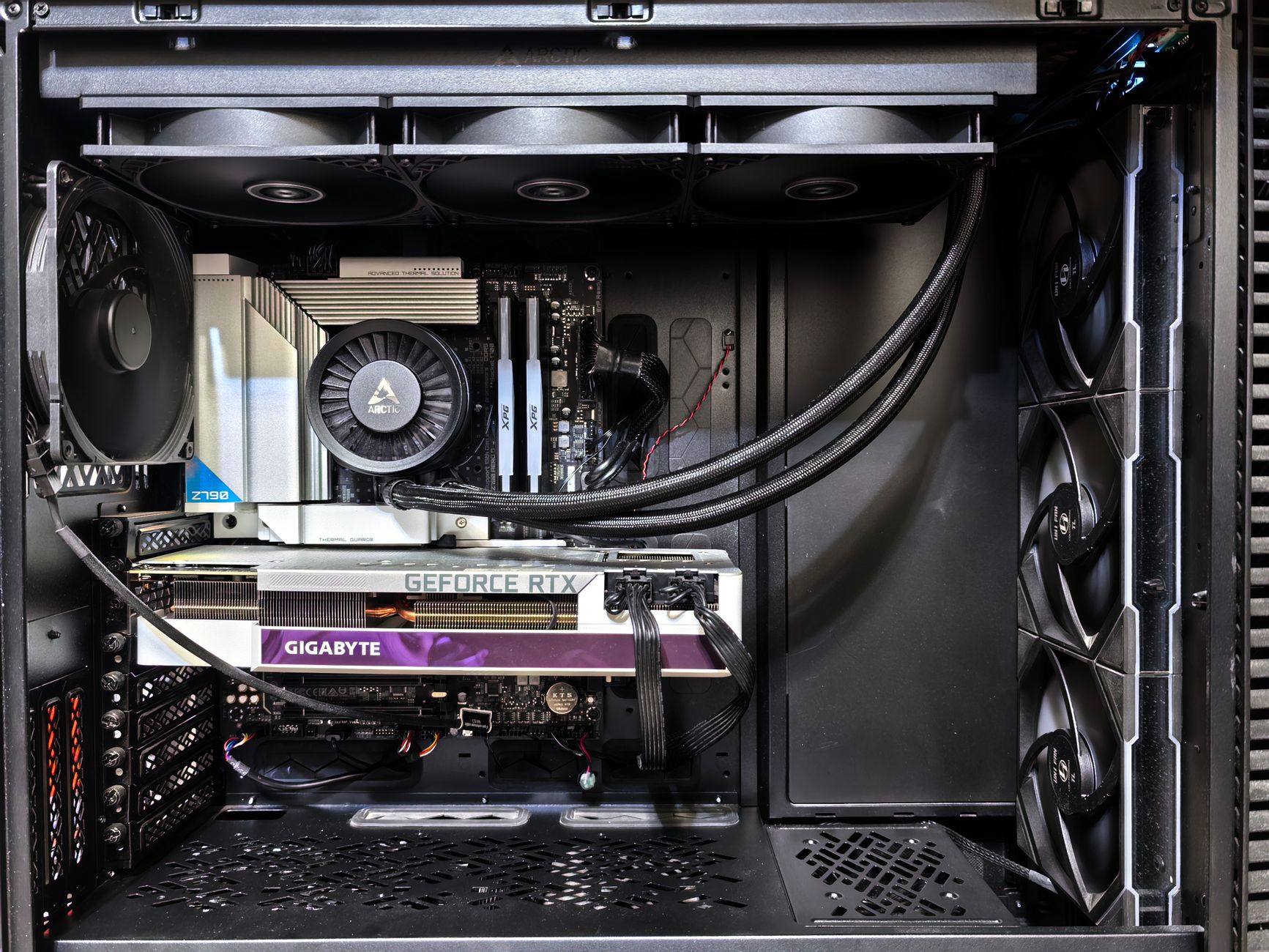
In this section, we’ll delve deeper into the pros and cons of upgrading to an AMD GPU from your trusty RTX 3070. We’ll examine the performance differences between the two brands, as well as the potential benefits and drawbacks of each option.
- AMD RX 6900XT: This high-performance GPU offers excellent frame rates and potential for better driver support. However, it requires a 320W power supply to handle its increased TDP.
- NVIDIA GeForce RTX 3080: As the successor to the RTX 3070, this GPU boasts improved performance and features like ray tracing and DLSS. However, it may not be compatible with all Linux systems due to driver issues.
We’ll also discuss the potential benefits of sticking with your current NVIDIA GPU, including the convenience of maintaining a single ecosystem and the potential for future-proofing your system.
DLSS vs FSR: A Performance Comparison
NVIDIA’s DLSS and AMD’s FSR aim to enhance frame rates, but they work differently. DLSS uses AI-powered rendering, while FSR relies on traditional upscaling techniques. The upcoming FSR 4.1 update for RDNA 2 GPUs may close the performance gap with DLSS 4.5.
Practical Considerations: Weighing Your Options
The decision to upgrade from RTX 3070 depends on individual needs and priorities. Linux users seeking smooth experiences might opt for AMD, while those invested in NVIDIA’s tech can stick with their current GPU. Before making a decision, consider the following factors:
- Performance requirements: Do you need the highest frame rates or are you satisfied with lower settings?
- Driver support: Are you willing to deal with potential driver issues or do you prioritize stability and reliability?
- Budget constraints: Can you afford a more expensive GPU, or do you have limited funds for upgrades?
We’ll explore these factors in more detail below, providing you with a comprehensive analysis of RTX 3070 upgrade options.
Upgrade from RTX 3070: What to Expect
When considering an upgrade from your trusty RTX 3070, it’s essential to understand what you can expect from the new GPU. Will it provide a significant performance boost, or will you be sacrificing some features for better compatibility? In this section, we’ll examine the potential benefits and drawbacks of upgrading to an AMD GPU.
- Improved Performance: Upgrading to an AMD GPU like the RX 6900XT can provide a significant performance boost, especially in games that utilize ray tracing or AI-enhanced rendering.
- Better Driver Support: AMD GPUs often receive more frequent driver updates, which can improve stability and reduce the risk of performance issues.
- Increased Power Consumption: As mentioned earlier, the RX 6900XT requires a 320W power supply to handle its increased TDP. This may not be feasible for all users, especially those with limited power supplies or older hardware.
We’ll also discuss the potential benefits of sticking with your current NVIDIA GPU, including the convenience of maintaining a single ecosystem and the potential for future-proofing your system.
DLSS vs FSR: A Performance Comparison
NVIDIA’s DLSS and AMD’s FSR aim to enhance frame rates, but they work differently. DLSS uses AI-powered rendering, while FSR relies on traditional upscaling techniques. The upcoming FSR 4.1 update for RDNA 2 GPUs may close the performance gap with DLSS 4.5.
Practical Considerations: Weighing Your Options
The decision to upgrade from RTX 3070 depends on individual needs and priorities. Linux users seeking smooth experiences might opt for AMD, while those invested in NVIDIA’s tech can stick with their current GPU. Before making a decision, consider the following factors:
- Performance requirements: Do you need the highest frame rates or are you satisfied with lower settings?
- Driver support: Are you willing to deal with potential driver issues or do you prioritize stability and reliability?
- Budget constraints: Can you afford a more expensive GPU, or do you have limited funds for upgrades?
We’ll explore these factors in more detail below, providing you with a comprehensive analysis of RTX 3070 upgrade options.
✅ Verdict
While the RTX 3070 remains a powerhouse, its limitations and decreased driver support make alternative options worth exploring. Ultimately, individual needs and preferences will dictate the best course of action.
 Jakeyy
 Olatunde-Bada