

Why Manhunt's PC Performance Matters in 2026
Manhunt remains a challenging and immersive experience for PC players, but its legacy release faces significant hurdles on modern systems. From broken anti-piracy measures to compatibility issues, achieving smooth gameplay requires a combination of essential fixes and precise configuration.
This guide breaks down the most critical settings and workarounds to ensure a stable, playable experience for 2026.
Essential Fixes for Stable Manhunt Performance
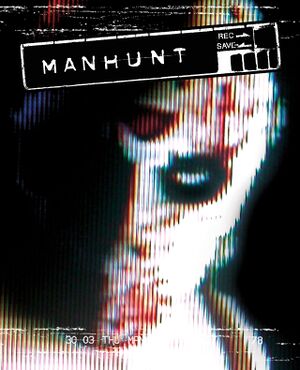
Manhunt on Steam has problems because Rockstar still uses old anti‑piracy software. These problems include doors that don’t open intelligence that behaves strangely and memory leaks that slow the game. The root cause is that the game file doesn’t contain SecuROM, a piece of code that the game needs to run.
A good way to fix these problems is to use Manhunt Fixer. Manhunt Fixer automatically installs patches that stop crashes stop audio from looping and fix script errors. It also keeps the game from stopping because of Data Execution Prevention (DEP) on Steam releases.
People who don’t want to use Steam can try MHNoDRM instead. MHNoDRM pretends that SecuROM is present without changing the game file but it doesn’t fix other problems such, as the frame‑rate limiter or audio loops. No matter which fix you use it’s very important to install all the patches before changing any settings.
These patches make the game stable so you can concentrate on improving performance without worrying about crashes or instability.
Widescreen Resolution and FOV Adjustments

Playing it in resolutions can create small HUD placement problems and aspect ratio differences. Because it was originally made for a 4:3 aspect ratio many new monitors show 16:9 or 21:9. To solve this players should manually change the FOV so that the view fits the screen.
A FOV of 75 to 80 degrees usually gives a balance between feeling immersed and seeing enough of the world without distorting the scenery. Using a 16:9 widescreen resolution can also lower the chance that UI parts stick out or line up wrong although some HUD parts may still sit a little off center.
Controller Support and Input Customization
While it doesn’t natively support controllers the ManhuntNativePad mod adds Xbox and PlayStation button prompts enabling smooth controller navigation.
This mod is essential for players seeking a comfortable control scheme as it allows for precise movement and interaction without the need, for keyboard inputs.
However the games original input design is optimized for mouse and keyboard so controller users may need to tweak sensitivity settings to match their playstyle.
Audio and Video Optimization
Manhunts audio system can have problems with sounds looping and volume levels acting up when running on newer computers. To fix this players can enable the ‘Audio Loop Fix’ mod or tweak the settings in the game’s configuration file. For video performance running the game in windowed mode and using a dedicated GPU helps avoid frame rate drops and keeps input lag low.
It also helps to turn off background apps while playing. This gives the game control over system resources, which is really important, for smooth and steady performance.
GPU and System Resource Management
Optimizing GPU settings can make a difference in how well it runs. Make sure your graphics drivers are current and think about changing DirectX settings to focus on compatibility of fancy features. Playing the game in mode with a separate GPU helps reduce competition for resources and shutting down other programs, like web browsers or music players takes pressure off the system memory and CPU.
Also changing the games priority in Task Manager to ‘High’ can keep frame rates steady during parts of the game.
✅ Verdict
Use Manhunt Fixer for stability and MHNoDRM for DRM bypasses; adjust FOV and widescreen settings for optimal visuals. Prioritize essential patches over experimental mods for the best balance of performance and compatibility.
 Pritish Samantaray
 Andrej