Fishing is one of the most useful early activities in Cloudheim, but the in-game tutorial does not fully explain how it works. Knowing how to cast, strike, and read the water makes fishing much easier.
This guide breaks down the basics so the fishing system becomes clear and easy to use.
How to Fish in Cloudheim
Start Fishing

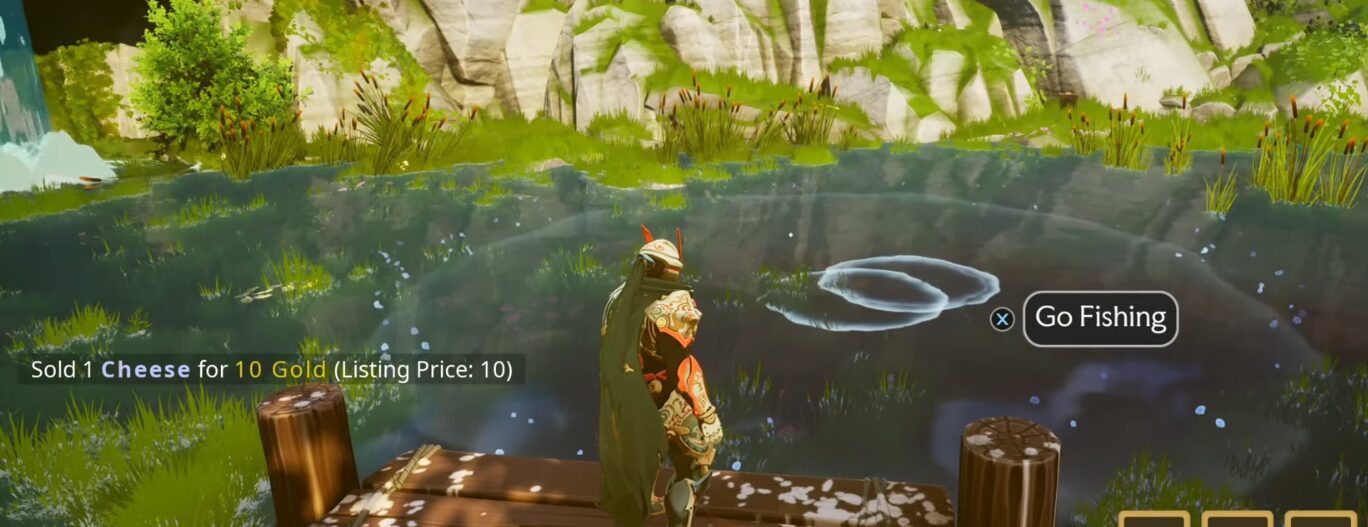
Fishing can be done at any pond marked as a fishing spot.
Interacting with the prompt begins the fishing action. A green cursor appears, and it must be placed over the water ripples to target the correct spot.
This is where fish are active and ready to bite.
Cast the Line

Casting uses the R1 button on the console. Once the cursor is set over the ripples, the line is thrown into the water. If the cast is placed correctly, the fishing prompt becomes active, and the player waits for a reaction from the water.
Strike at the Right Time
The strike is performed using L1.
A yellow exclamation mark appears when a fish bites, and striking at that moment pulls the catch in. Selling fish at the marketplace yields good returns, making fishing a quick way to earn resources early on.

Watch the Ripples
Fishing only continues as long as ripples remain in the pond. When the ripples disappear, no more fish can be caught at that moment.
Sometimes ripples appear far in the back of the pond, but not all distant ripples count as valid fishing points.

Return After Adventures

After finishing an adventure, the pond should be checked again. The fishing spot behind the marketplace refreshes over time and may contain new fish.
Revisiting it after each outing helps gather more resources efficiently.
Collect Extra Resources

The island also respawns lootable items after each adventure. These resources appear after a short cooldown, offering an easy way to gather materials while stopping by the fishing area.
ALSO READ: Noobs are Coming: Best Defensive Item to Use