

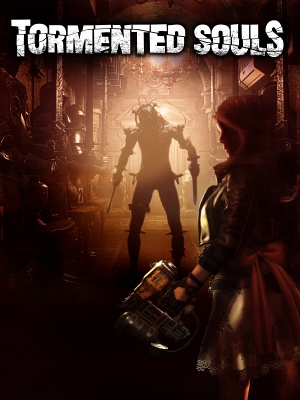
Tormented Souls is a survival horror game notorious for its technical issues, especially on PC.
With an engaged player base as of 2026 and active wiki edits on PCGamingWiki, it's clear that many players face crashes, lag, or other problems while playing.
Here's what you need to know:
Issues with Tormented Souls Fixing Common PC
Crashes and Freezing: Update Your Drivers

Outdated graphics drivers are a prime cause of crashes while playing new areas or fighting tough enemies. It’s essential to keep your drivers up-to-date, especially if you’re using an NVIDIA or AMD graphics card. You can check for updates in the Device Manager or through the manufacturer’s website.
If you’re low on RAM, upgrading or closing other resource-hungry programs can prevent crashes too. A general rule of thumb is to have at least 8GB of RAM for smooth gameplay, but this may vary depending on your system configuration. For example, if you’re running a game with high graphics settings, you might need more RAM to avoid crashes.
Verify game file integrity through Steam’s tool to resolve crashing issues. This will scan your game files and replace any corrupted or missing data. It’s also a good idea to check for any pending updates for the game itself, as these can often resolve issues with crashes and freezing.
Troubleshooting Driver Updates
When updating drivers, be sure to download from official websites like NVIDIA or AMD to avoid malware or corrupted files. If you’re unsure about which driver version is best for your system, consult the game’s documentation or online forums for guidance. Some users have reported success with rolling back drivers to a previous version if they encounter issues with newer updates.
Additionally, ensure that your operating system and other software are up-to-date, as outdated components can cause conflicts with the game. You can check for updates in the Windows Update section or through the manufacturer’s website.
Lag and Performance Issues
Exploring large environments or fighting multiple enemies at once causes lag. Reduce game graphics settings to alleviate strain on your system. You can try lowering the resolution, texture detail, and shadow quality to see if it improves performance. For example, dropping the resolution from 4K to 1080p can make a significant difference in performance.
Disable unnecessary background programs or services, and temporarily disable antivirus software during gameplay for improved performance. This may seem counterintuitive, but some antivirus software can interfere with game performance. Be cautious when disabling these programs, as they play an important role in protecting your system from malware.
Optimizing Graphics Settings
- Dropping resolution to 1080p or even 720p improves performance on lower-end hardware. However, this may affect the game’s visual quality.
- Lowering texture detail and shadow quality also helps improve performance. Be cautious not to sacrifice too much visual fidelity for better performance.
Consider upgrading your graphics card if you’re experiencing persistent lag or performance issues. Integrated graphics cards can struggle with demanding games like Tormented Souls, so a dedicated graphics card may be necessary for smooth gameplay. Research the best graphics cards for your system configuration and budget to ensure optimal performance.
Troubleshooting Sound/Music Issues

Solving sound/music issues and controller problems can be a challenge, but there are some simple steps you can take to resolve these issues. Update your audio drivers to resolve sound/music issues, and reset controller settings in the game’s options menu for proper controller support.
Ensure that your audio drivers are up-to-date, as outdated drivers can cause issues with sound and music. You can check for updates through the manufacturer’s website or Device Manager. Additionally, try resetting your controller settings to their default values to resolve any issues with controller input.
✅ Verdict
Apply these steps to fix common PC issues with Tormented Souls.
 Pritish Samantaray
 Jakeyy